
Master UI/UX Foundations with Structured Learning

-
Quantum Key
Vendor:LayvionitRegular price €60,00 EURRegular price -
Nexus Module
Vendor:LayvionitRegular price €254,00 EURRegular price -
Luma Guide
Vendor:LayvionitRegular price €150,00 EURRegular price




Design That Begins With Thought
Our mission is to provide thoughtful, hands-on UI/UX courses that help learners develop skills in designing digital interfaces. We aim to create materials that are understandable, structured, and applicable, enabling students to practice real-world scenarios and improve their design thinking progressively.
People Who See Screens Through the User’s Eyes
-

Dean Norton
Privacy Experience Architect
-

Darryl Moyer
UX Risk Analyst
-

Shari Godfrey
Security Interface Designer


Built From a Love for Clear Screens
Our journey started with a small team of UI/UX enthusiasts who wanted to make learning digital interfaces structured and practical. We noticed many learners struggled to connect interface elements, user actions, and scenarios, so we decided to create courses that guide students step by step.
As seen on


Not Just Screens — A Full Language of Interaction
-

User Flow
Each lesson
emphasizes how
users interact
with interfaces,
helping learners
map actions to
screens. -

Interface Depth
Students explore
multiple layers
of UI/UX design,
including scenarios,
components,
and page
logic. -

Scenario Practice
Exercises and
examples are
designed to simulate
real interface
challenges for
practical
application. -

Insight Feedback
Guidance and
examples highlight
how subtle changes
affect the user
experience,
strengthening
analysis skills.



Learning Materials That Fit Your Work Rhythm


Step Inside the Learning Routes
Learning Stories Built on Observation, Mistakes, and Decisions
-

John Carlson
He had a basic understanding of screen design, but
he often struggled when explaining his own
decisions: why an element belonged in a certain
place, why a block mattered, and how a user should
move through a page. The user scenario examples
were useful because they showed how interface decisions can follow a clear internal logic.
“The course helped me connect layout choices with
user actions instead of thinking only about how
a screen looks.” -

Karin Cantrell
She had already tried creating layouts, but her
pages often felt uneven because of inconsistent
spacing, weak grouping, and unclear section order.
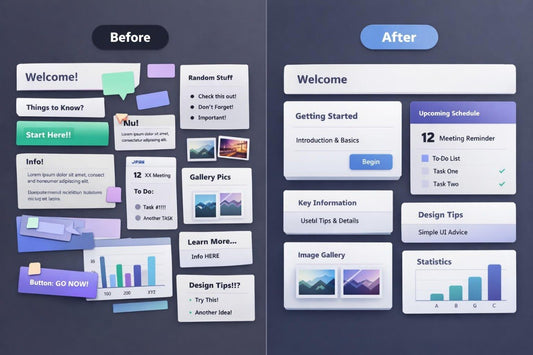
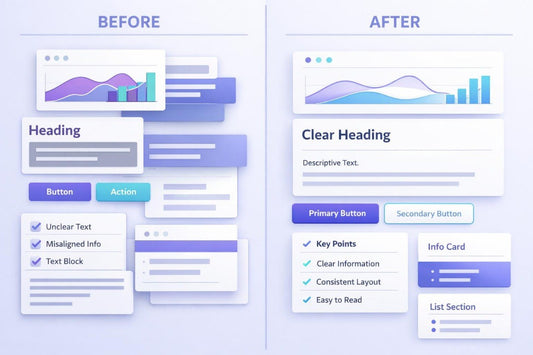
The before-and-after review exercises were useful
for her because they helped her see the difference
between overloaded presentation and a more
organized structure.
“The before-and-after examples helped me
understand why small layout changes can make
an interface easier to read.”

